Q: How to return to this website’s main page?
A: See here.
Q: Can you tell more about the project?
A: ReflectionHLE is a project consisting of source ports of video games from the 1990s. The project is inspired by Chocolate Doom, thus places an emphasis on reproducing the experience of playing the original DOS versions of the games as they were released bug for bug.
The games that ReflectionHLE supports come from an era where games were programmed directly against the hardware they were run on. The difference between conventional source ports and ReflectionHLE is that where possible hardware interfaces have been replaced with high level, typically function level, emulations. This minimizes the amount of code changes necessary, and keeps game engine subsystems in tact which would normally be vestigial under modern operating systems.
Compared to running the original releases on a low level DOS PC emulator, ReflectionHLE runs the games entirely natively for modern CPU architectures and operating systems. Within reason, convenience features are added to provide a better user experience than possible with a generic emulator.
For developers, the high level emulation approach means that undefined behaviors are captured into well defined code removing the black box that low level emulation creates. Having implied behaviors codified makes ReflectionHLE an accurate starting point for developing a more advanced source port. The retention of as much vanilla code as possible also makes it a great academic platform for understanding how the original code worked.
Q: Which platforms are supported?
A: As of v0.66.0, supported platforms are Windows, macOS, Linux (desktop environments) and Android.
Q: Any ETA for a following release or feature requests?
A: There’s basically none. If anything is implemented, assume you should find that in the git repository. Further assume the person who had originally started the ReflectionHLE project is doing things not necessarily related to ReflectionHLE.
Q: Which input devices are supported?
A: ReflectionHLE supports keyboards, mice and gamepads. Further supported are touchscreens with multi-touch capabilities, as well as gyroscopes (device rotation) for some games.
Q: Where is ReflectionHLE storing files (configuration, saved games…)?
A: ReflectionHLE uses two locations for writing files. These might really by the same location by default, depending on the platform, but ReflectionHLE still maintains them separately.
One location is the data dir, used for the files written by the ported games (e.g., saved games and config files compatible with the original game versions), plus paths to game installations selected from the ReflectionHLE launcher. The other location is the cfg dir, used for new ReflectionHLE-specific configuration files, plus gamecontrollerdb.txt.
Default data dir locations:
%APPDATA%\reflectionhle if APPDATA is defined, otherwise %HOMEPATH%\AppData\Roaming\reflectionhle.~/Library/Application Support/reflectionhle.$XDG_DATA_HOME/reflectionhle if XDG_DATA_HOME is defined, otherwise ~/.local/share/reflectionhle.appdata subdir of the non-system data directory allocated for ReflectionHLE, say internal storage’s Android/data/com.reflectionhle/files/appdata.Default cfg dir locations:
$XDG_CONFIG_HOME/reflectionhle if XDG_CONFIG_HOME is defined, otherwise ~/.config/reflectionhle.Q: Can I change where is ReflectionHLE writing files to?
A: Yes, if command-line arguments are supported on the platform. Use -datadir to override the data dir and -cfgdir to override the ReflectionHLE cfg dir.
Q: What is the ReflectionHLE launcher? Why not have a separate setup program like Chocolate Doom’s instead?
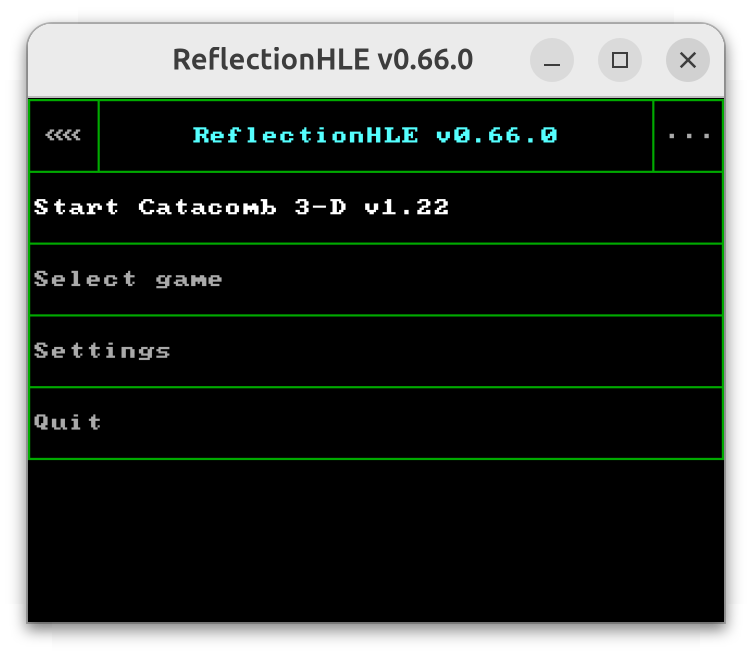
A: The ReflectionHLE launcher offers various options not necessarily available under the original game versions, including new settings introduced by ReflectionHLE. It also lets you select a game or game version from a list, or add one by manually specifying the location of compatible games files. Note that for technical reasons, you may select directories with ASCII characters only.
One motivating factor behind implementing the launcher was improved support for environments without keyboards or mice. The launcher was made usable with supported gamepads and touchscreens.
Regarding setup programs, the games ported using ReflectionHLE didn’t have their own setup programs bundled. Whenever supported, sound and user input would be configurable from the game itself, rather than a separate program. The ReflectionHLE launcher looked like a good place for expanded configurability.
Q: Can I use relative paths for game data, instead of the absolute paths added by the launcher?
A: Game data management was originally implemented with permanent installations (full paths) in mind. Also supported are the auto-detection of game installations from a few specific recognized locations, say from Steam.
For platforms allowing that, the closest to relative paths currently supported is running the ReflectionHLE executable with the game data in the current working directory. One way this can be achieved is making the executable (reflectionhle.exe on Windows) reside in the same directory as game data. In order to make this work with different games or games versions under their own subdirs, you may either make separate copies of the executable, or use launch scripts (like bat files on Windows) with a single executable. Note that the executable in question might require shared libraries (dll files on Windows).
Q: May I change keyboard/mouse binds in manners not originally supported by the games?
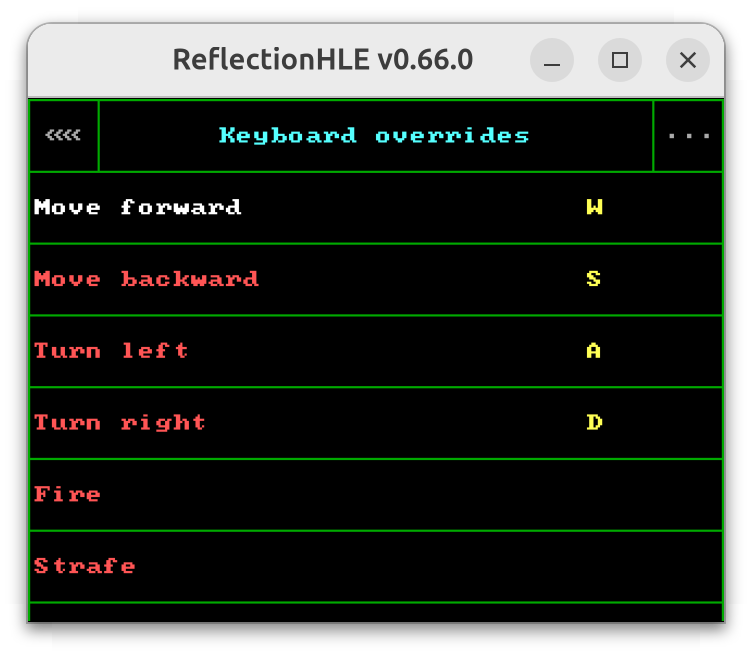
A: The ReflectionHLE launcher allows remapping some in-game actions to keys and mouse buttons. Different games might have their own ReflectionHLE settings, at least in part. Note that the ReflectionHLE-side binds will have a higher priority than the games' original binds, if configurable.
Q: What is the “Game controller scheme” toggle?
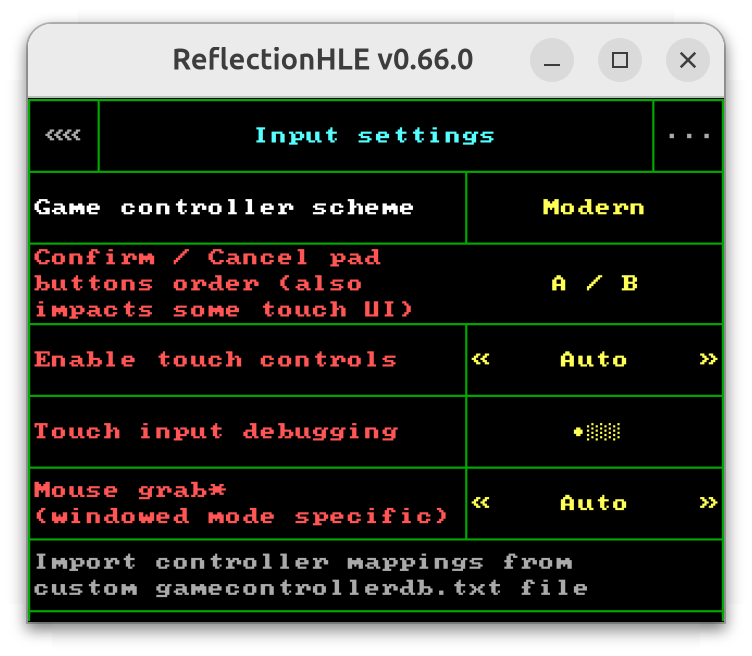
A: You may select one of two schemes: Classic and Modern. The modern one is used by default and preferred in general.
One major difference between the two schemes comes down to joystick/gamepad support.
Games covered by ReflectionHLE originally had support for devices like 2-buttons joysticks or 4-buttons gamepads, before layouts like twin-stick gamepads became more prevalent.
The classic scheme is a direct pass through to the original game’s input handling, working with actual game controllers like joysticks and gamepads. Configuration of them will often be limited (if existing at all), and there are chances you’ll be asked to calibrate a joystick in-game. Additionally, you might still be expected to use a keyboard or another input device at times, say for in-game text input.
The modern scheme was made with later gamepad layouts (like twin-stick ones) in mind, offering automatic internal control mappings for the games and increasing usability without a keyboard or another input device. Some in-game actions may further be configured from ReflectionHLE’s launcher. Other features, like in-game turning with gamepads' gyroscopes, might similarly require the modern scheme.
Q: My gamepad is not working under the launcher, and neither it is in-game with the “Modern” controller scheme.
A: Unlike the situation with keyboards, gamepads often lacked layout standardization, due to historical reasons in part. For instance, a gamepad could have 4 face buttons where the bottom of them was reported as “button 0” by the OS. Another gamepad could rather have the top face button reported as such.
For that reason, starting from SDL2, the SDL library got a gamepad API using a database of gamepad mappings, letting you use a more standard layout across different gamepad models.
It is expected that not all gamepads will be mapped automatically. ReflectionHLE allows adding mappings of your own - see the next question.
Q: How to add gamepad mappings? (Launcher, modern controller scheme)
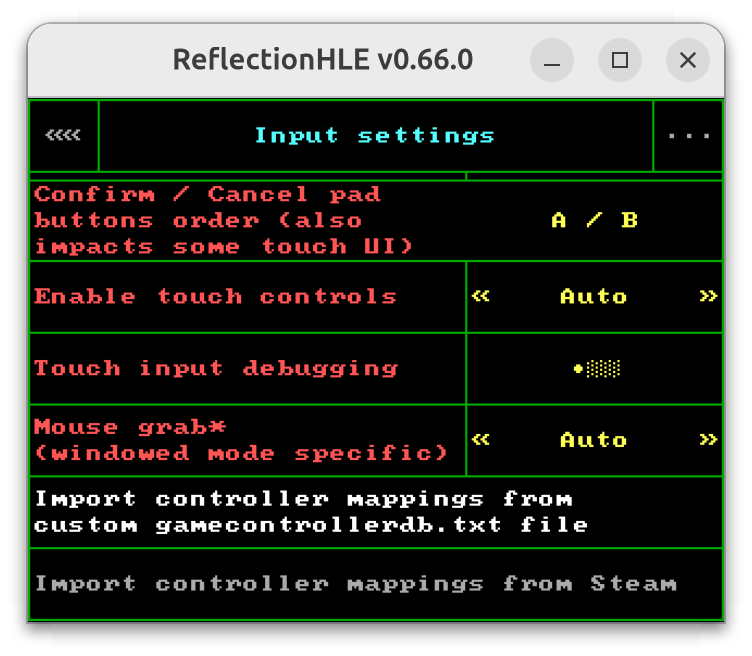
The launcher’s input settings menu should offer you a way to import controller/gamepad mappings, either from a custom gamecontrollerdb.txt file (via directory selection) or an installation of Steam (if supported and a mapping is configured). ReflectionHLE will then maintain its own gamecontrollerdb.txt file internally.
Q: May I use WASD controls in-game, with concurrent strafing and turning?
A: If you’re asking about Catacomb 3-D, Wolfenstein 3D or derived games, these were originally developed in earlier days preceding the prevalence of WASD controls. In particular, strafing was a toggle, meaning you could either turn or strafe.
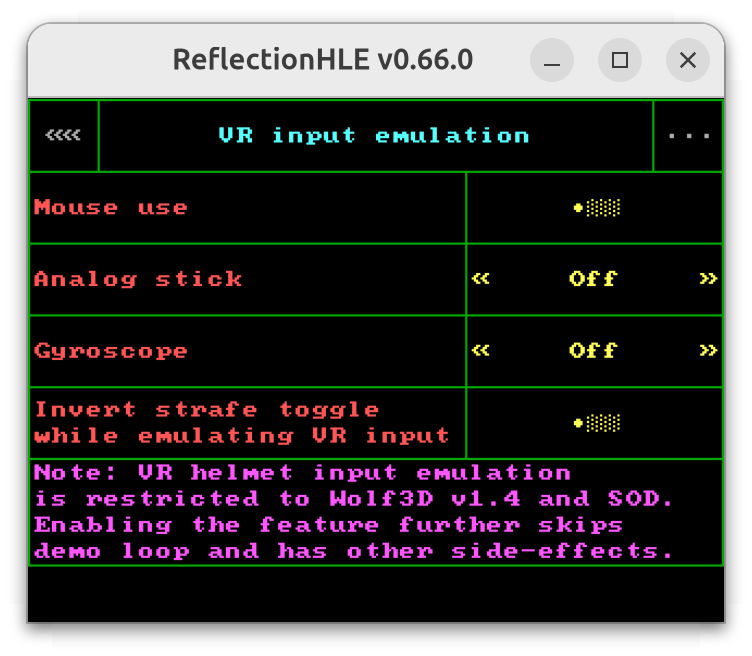
That said, as found out in 2026, Spear of Destiny and some Wolfenstein 3D versions from the 1990s do offer an interface allowing WASD controls. Namely, that was made possible by implementing Virtual Reality helmet input support. Chances are the feature was originally implemented for Alternate Worlds Technology.
Similarly to Blzut3’s Wolfenmaus loader, ReflectionHLE lets you use mouse motion to emulate Virtual Reality helmet rotation in the supported game versions. The same is also allowed via analog sticks or gyroscopes. Note that some limitations apply, as with Wolfenmaus.
Q: There are some weirdnesses with VR emulation for Wolfenstein 3D / Spear of Destiny.
A: As written above, there are known limitations, similar to ones documented for Wolfenmaus. Given that ReflectionHLE aims to be a Chocolate Doom equivalent, these limitations were preserved. One example is the demo loop (demo playback included) being skipped, along with newly recorded demos not taking VR input into account. The other is that you might find B.J. pointing at unexpected directions at times, say upon starting a new game from the menu.
Q: I cannot use VR emulation in my game of choice.
A: Only Spear of Destiny and versions of Wolfenstein 3D identified as 1.4 (or 1.4g) had the VR Helmet code implemented in the 1990s. Given ReflectionHLE’s goals as a Chocolate Doom inspired project, that restriction remained in effect.
If you have an older registered version of Wolfenstein 3D, you may update it using the Patch Utility from the ECWolf download page.
Q: Does ReflectionHLE support mods or other user-made contents?
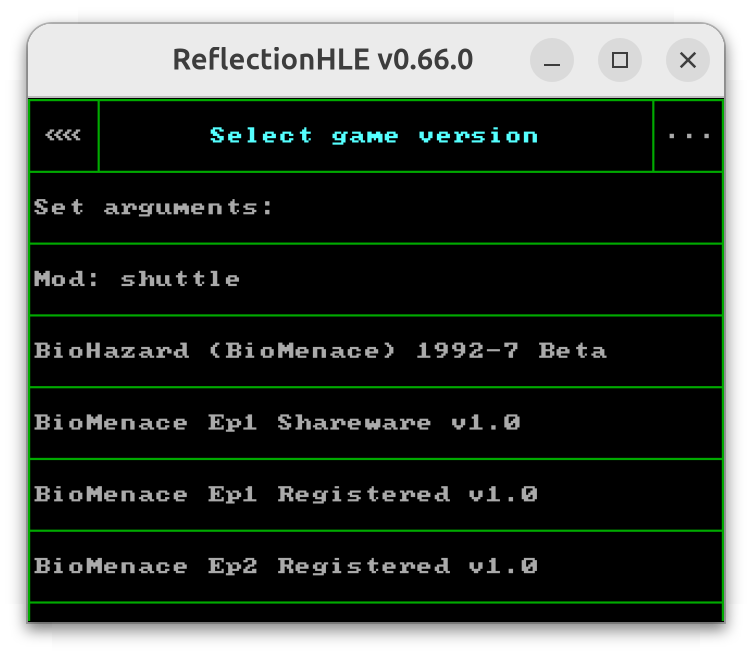
A: There’s limited mod support, letting you replace game data files by selecting a mod dir. If the mod depends on a custom executable then it might not function as intended. As of ReflectionHLE v0.66.0, mod support should cover some mods made for Wolfenstein 3D and derived games, plus BioMenace. Mod dir may be selected for the game from the launcher or via command-line use.
Q: Do the games support the original command-line arguments?
A: Usually yes, but not necessarily. For instance, the “virtualreality” command-line argument originally supported by Spear of Destiny and some versions of Wolfenstein 3D became redundant, given ReflectionHLE’s ways of implementing the feature. Additionally, a few command-line arguments might have inverted behaviors. For example, a few versions of KDREAMS.EXE were originally expected to be executed from a separate shell program/script like START.EXE, adding the command-line argument /DETOUR when executing KDREAMS.EXE. As of ReflectionHLE v0.66.0, it’s rather the addition of /DETOUR which will prevent normal startup of relevant Keen Dreams versions.
You may add command-line arguments for a given game from the launcher, via the “Set arguments” menu item. Outside of the launcher, you may select game version with -gamever <VER> and then add -passorigargs, followed by the arguments to be passed to the game. A list of supported game versions accepted by -gamever should be printed with -listgamevers.